Lightroom controllers compared: which hardware suits you?
TourBox, Logitech, Stream Deck with Lumapress or MIDI2LR: find the Lightroom controller that fits your workflow and your budget.
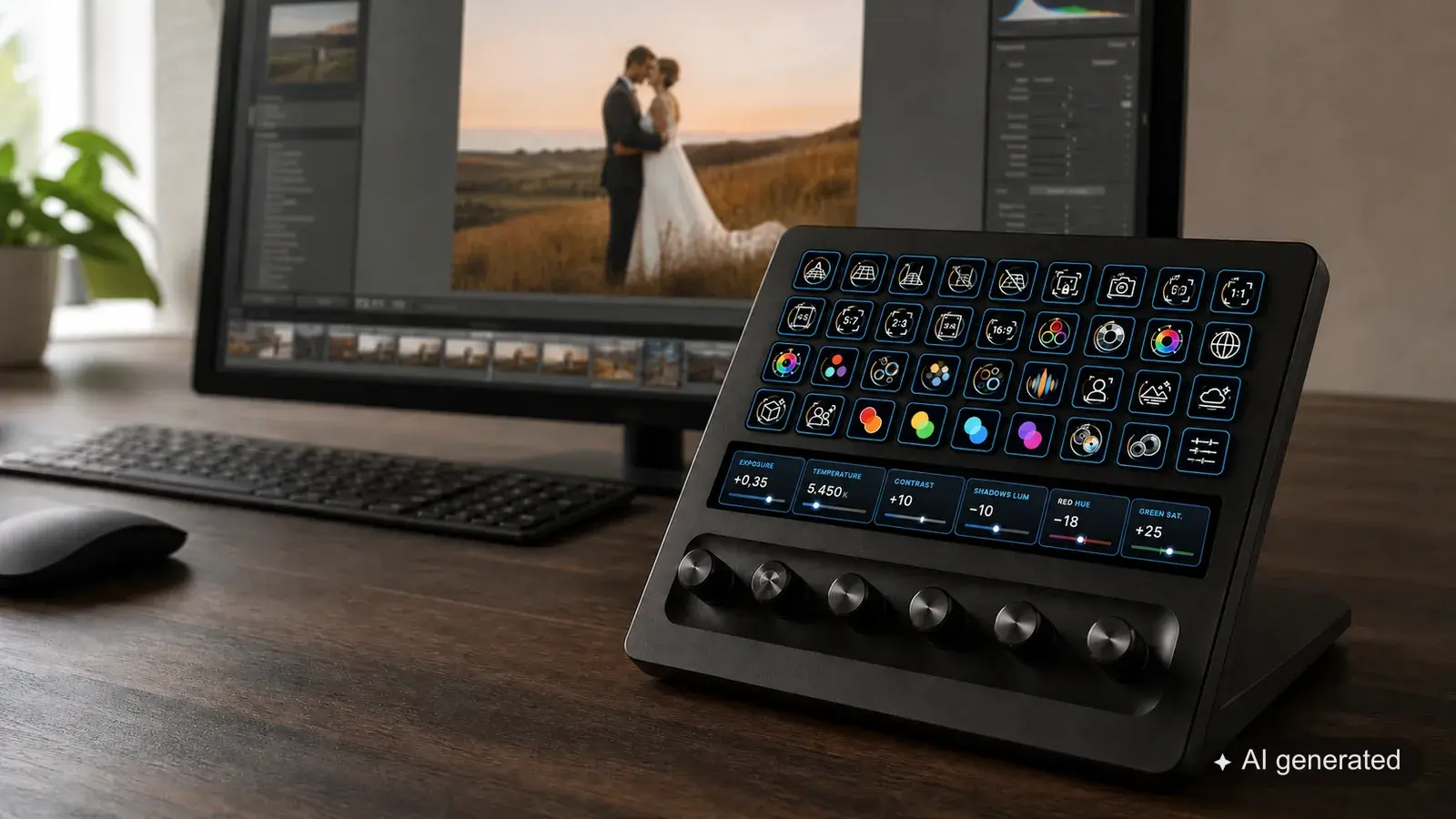
A good Lightroom controller should take work off your hands. It should put the sliders you use most under your fingers, speed up culling and save you reaching for the mouse for every small step. After this article you will be able to judge which control concept suits your everyday work, where you are paying for comfort and with which solution the setup becomes a project in itself.
We compare TourBox, the Logitech MX Creative Console, the Elgato Stream Deck with Lumapress, freely chosen MIDI hardware and the discontinued Loupedeck range. The yardstick is the questions that count in daily work rather than a theoretical feature list: can you find a function without thinking? Can the dials be operated finely? How much do you have to configure yourself? And what happens when the software or the way you work changes?
A note on context: Lumapress comes from aftersnap, so it is our own product. For the other devices we rely on manufacturer information, editorial reviews and experiences that users have published. Individual forum posts are not a representative survey. They do show clearly, though, where things repeatedly get stuck in everyday use.
The quick decision
| If this matters most to you | Look here first |
|---|---|
| Labelled keys, flexible assignments and one device for several programs | Stream Deck with Lumapress |
| One-handed operation, ideally without looking | TourBox |
| Separate key and dial surfaces in one matched package | Logitech MX Creative Console |
| A great many dials for little money, and you enjoy setting things up | MIDI controller with MIDI2LR |
| You already own a device that works | Keep using your Loupedeck |
There is no controller that is best for every photographer. Someone editing weddings with several thousand images values muscle memory differently from someone who mainly retouches individual portraits in fine detail. A device with lots of dials can be very pleasant for developing. When culling and switching between tools, clearly readable keys often matter more.
What a Lightroom controller really needs to do
Before you compare prices, it is worth looking at your own work. Don't just write a list of Lightroom features. Note down the actions you repeat constantly.
When reviewing images, these are often forwards and back, flagging, rating, rejecting and switching between compare views. In the Develop module, exposure, white balance, highlights, shadows and masks count. Then there are tasks that don't happen directly in Lightroom: opening the export folder, launching Photoshop, creating a client folder or controlling music while you edit.
This leads to four quite different requirements.
Dials or keys: A dial suits continuous values. A key is better for a single, unambiguous command. If you mainly want to develop images, look beyond the number of keys.
Labels or muscle memory: Display keys show their function. With controls that have a fixed shape, you learn the position. Once you are used to it, that can be faster, but it assumes the layout suits you and you don't keep changing your assignments.
Ready-made profile or your own toolkit: A good default gets you started quickly. What matters all the same is whether you can adapt it later without effort.
One program or the whole workstation: A specialist device can operate Lightroom very well. A freely assignable control surface can also take over Photoshop, the browser, video calls and other programs.
TourBox: strong muscle memory, high price
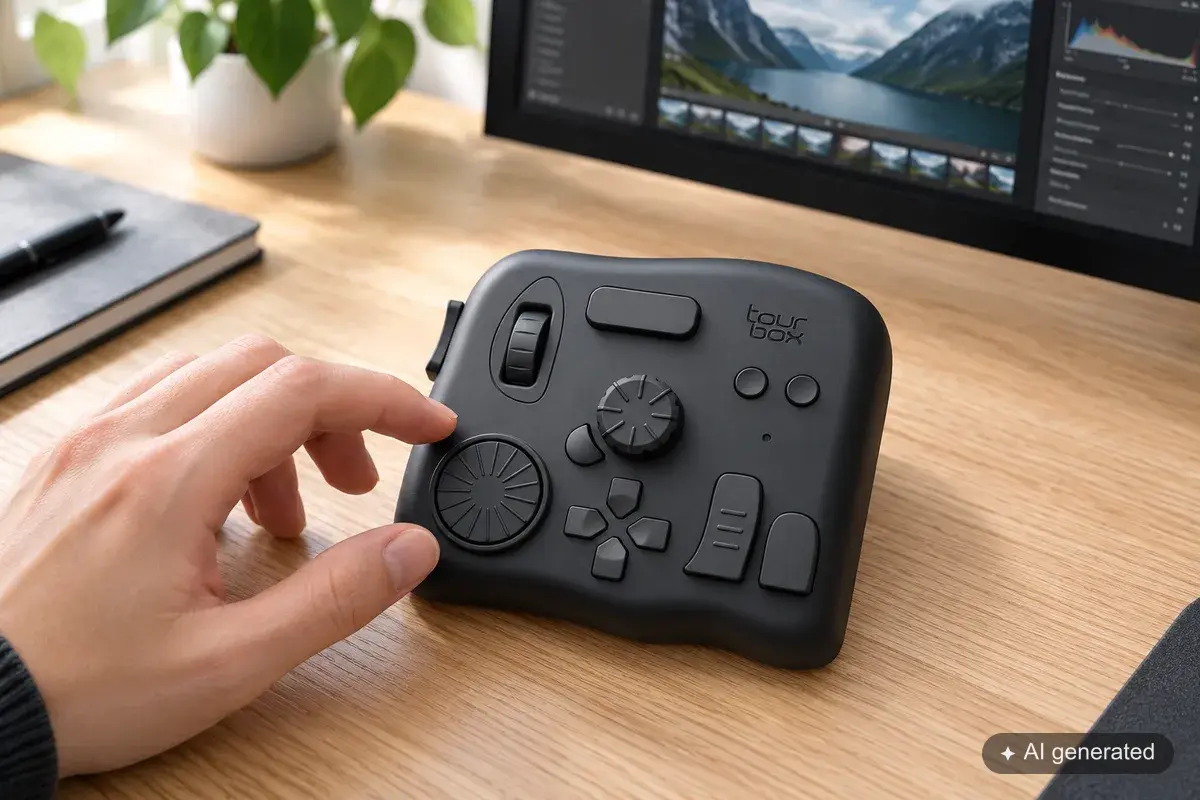
TourBox follows a clear idea: your left hand stays on one compact device. Differently shaped buttons, wheels and dials are meant to be found by touch, without you constantly looking down. That is exactly where the strength of the range lies.
Compared with a flat keyboard or a Stream Deck, the housing looks unusual. Some describe it as clunky or compare the shape to a games controller. Looks are a matter of taste. For the buying decision it matters more whether your hand rests comfortably and whether you can reach the controls reliably. TourBox is explicitly designed for left-handed operation. There is no mirrored version.
The published experiences turn out better than the looks might first suggest. Several Lightroom users praise the solid build, the fine control and the speed with large numbers of images. If you use a layout for a few weeks, you can carry out many steps from muscle memory. On long wedding or event jobs in particular, that is a real advantage.
Getting started takes patience. Users report two to three weeks before the positions are reliably in place. The on-screen HUD and the Dynamic Panel help, yet a device without permanently visible key labels still takes more learning. Some users never got on with the ergonomics or put the TourBox back in the drawer. Others don't want to work without it once they are used to it. Both fit the basic idea of the device: it has to suit your hand and the way you work.
Neo, Elite or Elite Plus?
The TourBox Neo is the wired model and cost 169 US dollars when we researched this article. The Elite adds Bluetooth and haptic feedback and was offered by the manufacturer at 268 US dollars. The Elite Plus is additionally aimed at working with tablets. A recent review gives 297 US dollars or 297 pounds sterling.
That makes TourBox far from cheap. Even so, the range can't simply be dismissed as overpriced across the board. The Neo can make sense if you like the control concept and can live with a cable. The Elite is worth it mainly if wireless operation and haptic feedback matter to you. With the Elite Plus you pay a clear premium for features that a pure Lightroom Classic workstation may not need at all. That is why users also often recommend the Neo or the Elite unless you plan to use a tablet.
TourBox suits you if you edit many images in one go, like to keep your left hand in a fixed place and are prepared to genuinely learn a layout.
Take a closer look if you like reading functions directly on the device, often try out new assignments or don't yet know whether the shape will feel right over several hours. If possible, test the device over a complete editing session rather than for five minutes.
Logitech MX Creative Console: good concept, mixed software experiences
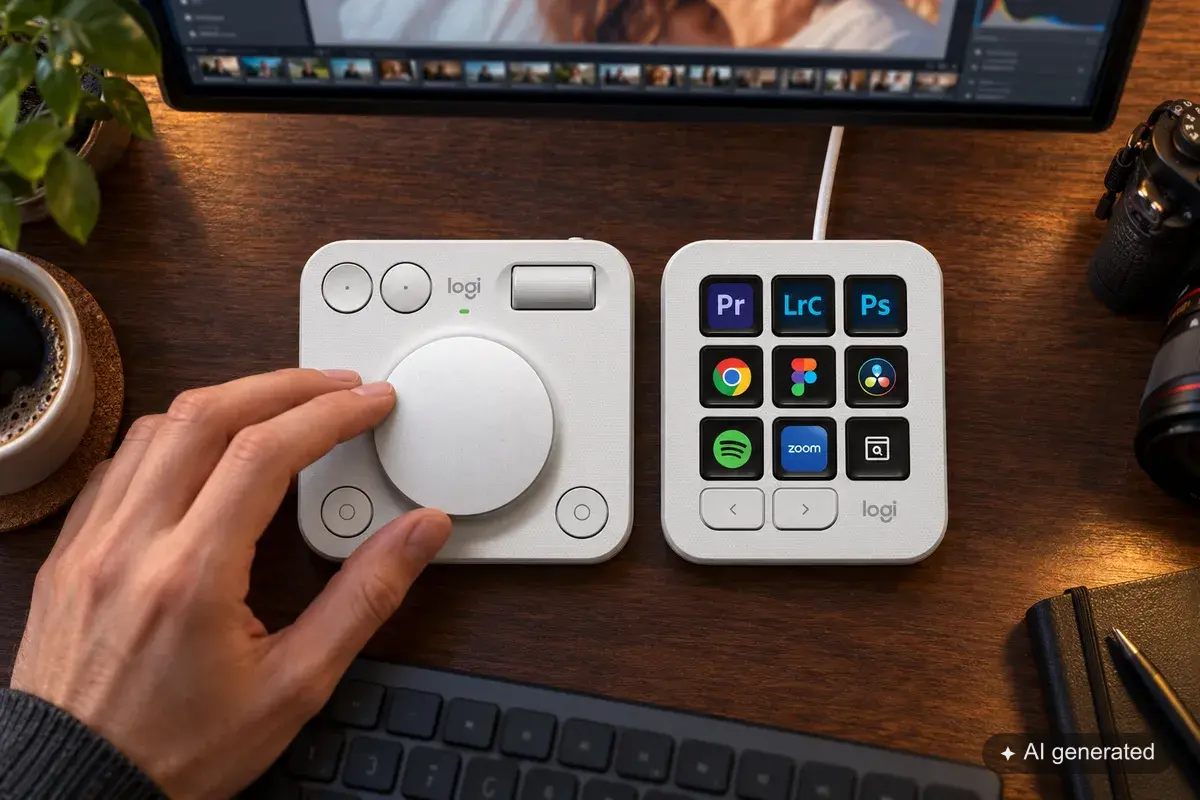
Logitech splits the controls across two devices. The Keypad has nine display keys with changing icons. The wireless Dialpad brings a large dial, a scroll wheel and several buttons. You can place both parts wherever makes sense on your desk.
For Lightroom this is a sensible approach. Commands and tools sit on labelled keys. You control continuous values with the Dialpad. The manufacturer offers an official Lightroom Classic integration through Logi Options+ and the Marketplace. The regular German price at the time of checking was 219.99 euros, and on the manufacturer's site the console was temporarily offered at 179.99 euros.
Reviews often rate the hardware and the price positively. The console is clearly cheaper than some specialist control surfaces, looks tidy and can be used outside Lightroom as well. The large wheel is good for precise changes. The display keys explain themselves, so you don't have to memorise an extensive layout.
The reservation mainly concerns the software. Editorial reviews and user reports repeatedly mention problems: profiles don't respond as expected after a switch, assignments have to be set up again, the Dialpad lags, or individual Lightroom functions can't be reached in the depth you want. Limitations mentioned include masks, the point curve and the colour mixer. One Windows review described the software as error-prone and unreliable despite convincing hardware.
That doesn't mean the Creative Console works badly in principle. There are positive reviews and satisfied users too. The feedback simply isn't consistent enough for you to ignore the software side. If you are interested, check whether the Lightroom actions that matter to you personally are actually available today. A nice default profile is of little help if your most frequent step is the one that is missing.
The MX Creative Console suits you if you are looking for a ready-made combination of display keys and a large dial, prefer an official Adobe integration and want to place both parts of the device flexibly.
Take a closer look if you use very specialised Lightroom functions or have no wish to reset profiles after a software problem. Ideally, buy it where you can test it at your own pace with your real workflow.
Stream Deck with Lumapress: from all-rounder to Lightroom controller
For a long time the Stream Deck was known mainly from streaming setups. Photographers found the labellable display keys interesting, but the route to usable Lightroom control was needlessly awkward. There were paid solutions in the Elgato Marketplace, or constructions built from MIDI2LR, extra plugins and keyboard shortcuts. It was possible, but it didn't feel like one coherent solution.
Lumapress connects Lightroom Classic directly to the Stream Deck. The plugin is free. Sample profiles for all Stream Deck models are included and can be customised. macOS is supported as a regular release, while the Windows version is still marked as beta at the time of this comparison. You need Lightroom Classic 15 or later and Stream Deck 7.1 or later.
That makes a device interesting that many photographers already have on their desk anyway. The keys show their function and can change depending on the profile or layer. If you need a key for star ratings today and for an export tomorrow, you don't have to swap any labels. Outside Lightroom, the Stream Deck remains a universal control panel for other programs.
Which Stream Deck works for Lightroom?
All current models can be used with Lumapress. Even so, they do different jobs.
- Stream Deck Neo and the classic 15-key model are particularly suited to culling, ratings, tools, views and recurring commands.
- Stream Deck XL gives you plenty of room if you want to see lots of functions on one layer and don't like switching between pages.
- Stream Deck Plus and Plus XL are particularly interesting for developing. Their dials suit exposure, white balance, highlights or shadows. The keys take care of tools and commands.
At the time of checking, the official German prices ranged from 99.99 euros for the Neo to 349.99 euros for the Plus XL. The classic 15-key model cost 149.99 euros, the Plus 199.99 euros and the XL 249.99 euros. If you already own a model, the Lightroom connection through Lumapress costs you nothing extra.
The control concept differs clearly from TourBox. With the Stream Deck you have less to memorise, because functions stay visible. On the other hand, uniform display keys are harder to tell apart by touch. The Plus and Plus XL add dials, but a TourBox user may still find the right control blind more quickly on its strongly structured surface.
Stream Deck with Lumapress suits you if you want to see your functions, are looking for one device for several programs or already own a Stream Deck. The Plus and Plus XL are the obvious choice if you want to change develop values on a dial regularly as well as trigger commands.
Take a closer look if you use Windows and don't want to run beta software for production work, or if full operation without looking at the device matters more to you than visible labels.
MIDI hardware with MIDI2LR: cheap, open and takes some explaining
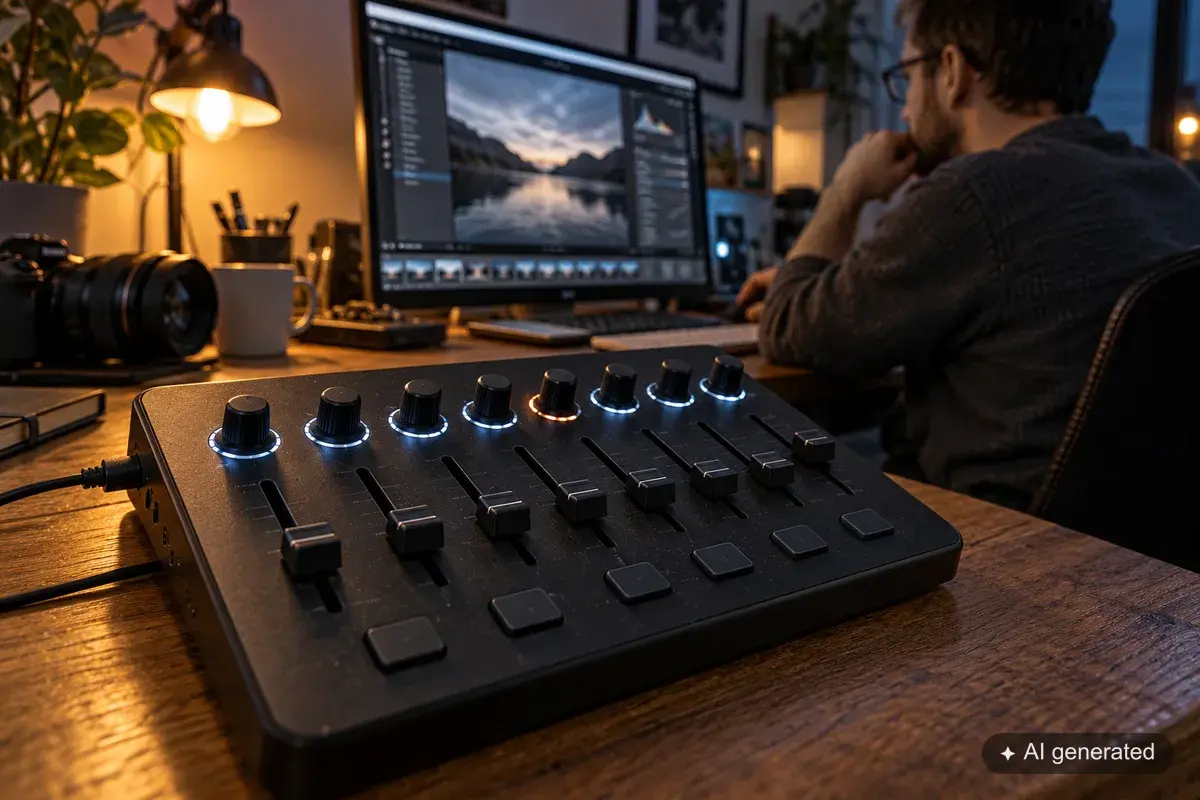
MIDI controllers actually come from music production. That is exactly why they are appealing as a Lightroom control surface: many models offer numerous dials, buttons or faders at a comparatively low price. With the free MIDI2LR project, you can map these controls to Lightroom Classic functions.
The solution is powerful. MIDI2LR runs on macOS and Windows and supports many Lightroom commands, profiles and even feedback to suitable controllers. If you already have a device in the cupboard, you can find out what hands-on control feels like for little extra outlay.
The price for this is setup work. First the controller has to send in the right MIDI mode. Then you decide which dial controls which command, which value ranges apply and when which profile is active. Dials that are not endless can cause jumps if their physical position doesn't match the current Lightroom value. With relative endless encoders, the value format they send has to match the configuration. Even a device as often recommended as the X-Touch Mini can keep beginners busy with different operating modes and outdated instructions.
That is not the same as “MIDI is unreliable”. A cleanly set up combination can work extremely well. It simply demands more technical understanding than a matched package. If you would rather edit photos than check MIDI values and profiles, the cheap controller quickly becomes expensive in terms of your time.
MIDI2LR suits you if you already own suitable hardware, want as many dials as possible for little money and enjoy building your own solution.
Better leave it if you expect a fixed set of installation instructions that works the same for any device. For enthusiasts, MIDI is a treasure trove. As a straightforward recommendation for every photographer, it falls short.
Loupedeck: keep using existing devices, but don't buy in now
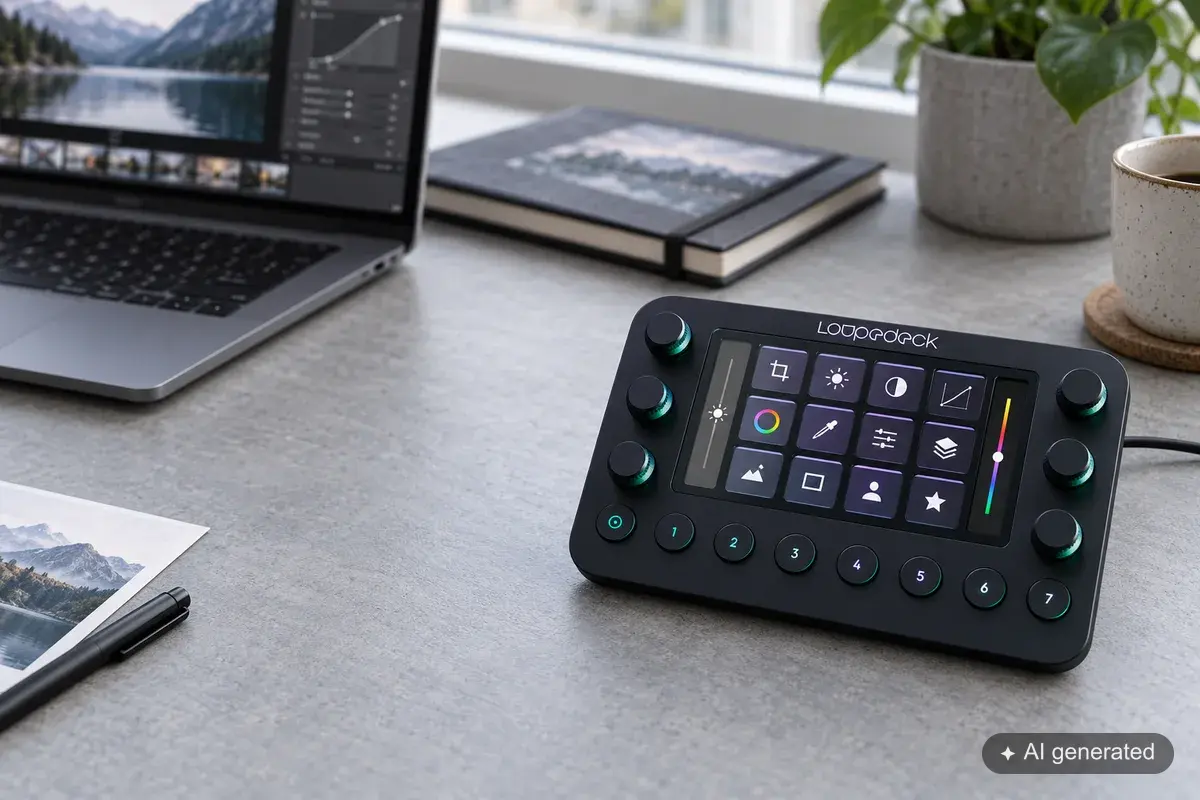
For a long time Loupedeck was one of the obvious names for photo and video editing. The devices combine keys, displays and dials and have Lightroom Classic support. Since March 2025, however, Loupedeck no longer sells new hardware. Remaining stock doesn't change the fact that the product line has ended as a hardware platform.
That doesn't mean every Loupedeck has suddenly become useless. The manufacturer still lists the Loupedeck+, CT, Live and Live S in current software notes and is working with Logitech on a shared technical foundation. Only the original Loupedeck has officially dropped out of the new software support.
If you own a working device and are happy with your workflow, you can keep using it. We don't recommend buying one new today. With a discontinued hardware line, replacements, further development and the long-term outlook are harder to judge than with platforms that are actively sold.
Head-to-head without scoring tricks
| Solution | Feel in use | Learning curve | Software status | Price level | Makes most sense for |
|---|---|---|---|---|---|
| TourBox | strongly tactile, largely usable without looking once you are used to it | medium to high | own software and Lightroom integration | high | large series, fixed routines, muscle memory |
| MX Creative Console | visible keys plus a large separate Dialpad | low to medium | official integration, but mixed reports on stability | medium | photographers who want a ready-made two-device concept |
| Stream Deck with Lumapress | labelled display keys, plus dials on the Plus models | low to medium | Lumapress free; Windows currently in beta | low to high, depending on the model | flexible workflows and several programs |
| MIDI2LR | many dials and faders, depending on the hardware | high | free, powerful project; setup depends on the device | often low | tinkerers and existing MIDI hardware |
| Loupedeck | mixed concept specialised for creative work | medium | several models still supported, hardware sales ended | used or remaining stock only | existing owners |
Ratings with stars or an artificial overall score would obscure more than they explain here. For a wedding photographer with an unchanging routine, TourBox can be the best solution. A photographer who changes their assignments often will probably understand the visible keys of a Stream Deck more quickly. If you only want a large wheel and a few clearly labelled commands, you may find the Logitech split the most comfortable.
How to make a sensible buying decision
Take ten frequent actions from a real editing session and sort them by type. Continuous values belong on dials, single actions on keys. You will then quickly see whether you need lots of dials or mainly commands that are easy to recognise.
Then check three things:
- Can the device really address the Lightroom functions that matter to you? Don't rely on the words “Lightroom compatible”. A star rating and a complex masking action make completely different demands.
- Does the control concept suit you? Do you want to learn positions or read functions? Do you work with your left hand, your right or both in turn? Should the device also be useful outside Lightroom?
- How much setup will you accept? An open system can be very flexible. If you spend an hour hunting for faults after every update, that time counts towards the purchase price.
If you already own a Stream Deck, the simplest test is free: install Lumapress, load one of the sample profiles and use it to edit a real series. Keep going well beyond five test images, until you notice which commands you have to search for and which you find without thinking.
The same hands-on test applies to TourBox and Logitech. Return periods are worth more here than further data sheets. Ergonomics, muscle memory and trust in the software can't be read from a comparison table.
Sources for further reading
The product data comes from the respective manufacturer pages for TourBox Elite, Logitech MX Creative Console, Elgato Stream Deck, Loupedeck Live and MIDI2LR.
To assess everyday experiences, we drew on sources including a recent TourBox Elite Plus review from Digital Camera World, experiences of Lightroom users with TourBox, the MX Creative Console review at Amateur Photographer and recent Lightroom bug reports on the MX Console. Loupedeck explains the end of hardware sales in its announcement of 28 March 2025.
Prices, availability and software versions were checked on 19 October 2026. Manufacturers can change them at any time.