Collages for Instagram
Let your photos run on with every swipe.
Choose photos from your aftersnap galleries and turn them into one continuous Instagram carousel. The automatic mode makes the first draft, and you decide on crops, arrangement and text. Then you get the finished 4:5 slides straight onto your phone.
14 days of Studio for free. No credit card. No automatic subscription.
Collages are included from €14.99 a month. See plans
One swipe
One photo, two slides.
Swipe left. The subject carries on at exactly the same spot on the next slide.
Drag the slides to the left.



These slides come from a finished aftersnap export in 4:5 format.
Try collages for freeNo second photo library
Your photos are already here.
Choose the photos directly from one or more aftersnap galleries. You don’t have to download the same series from a gallery first and then load it into a separate design tool.
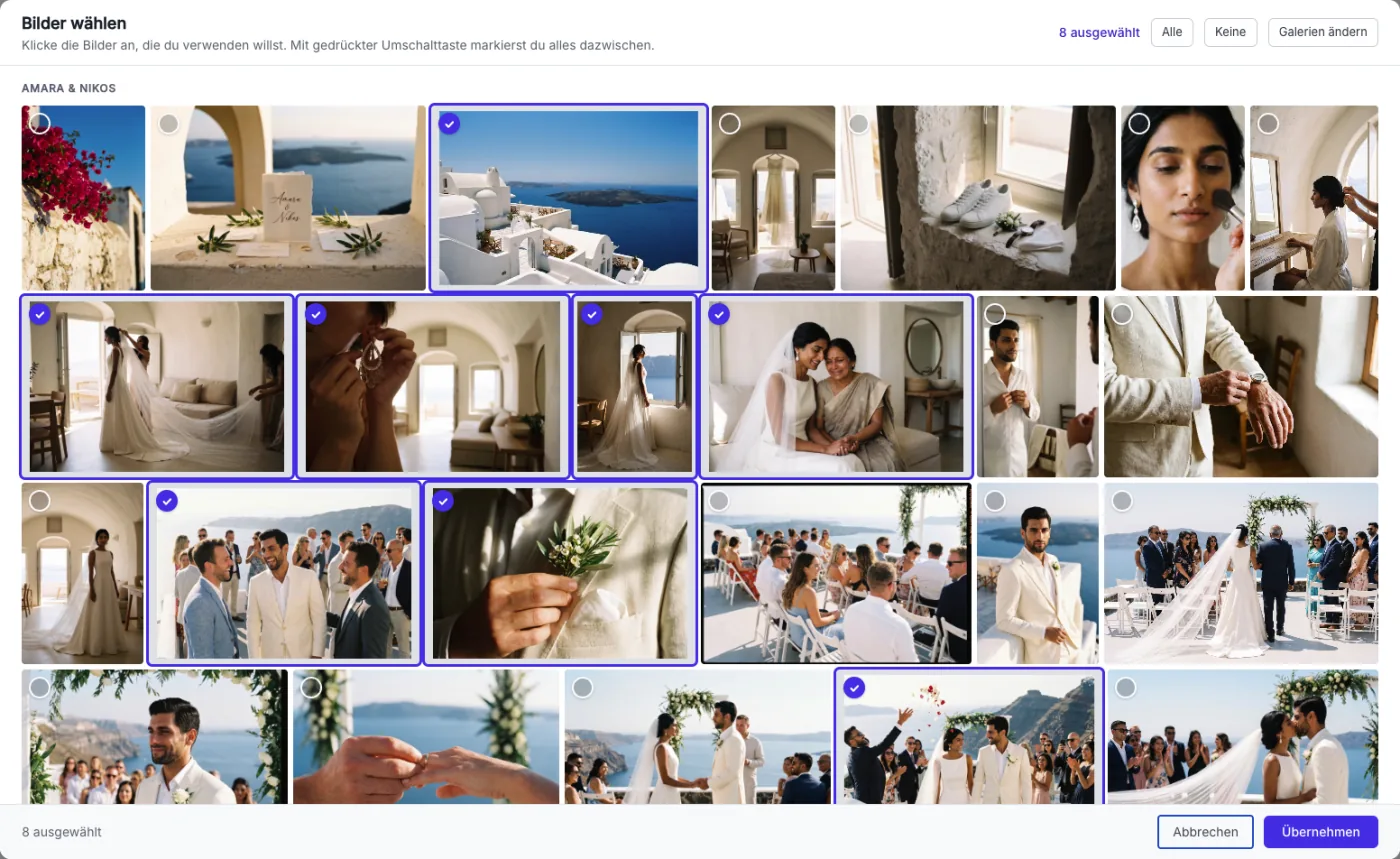
Choose one or more galleries
Mark only the photos that belong in the post. In the editor they are then ready in the order they were taken.
Upload new photos directly
If a series isn’t in any gallery yet, you can upload it into the collage. Your existing galleries stay unchanged.
From gallery to post
The automatic mode starts. You design the rest.
aftersnap lays out a first strip from your selection. Then you can move, enlarge and recrop every frame.
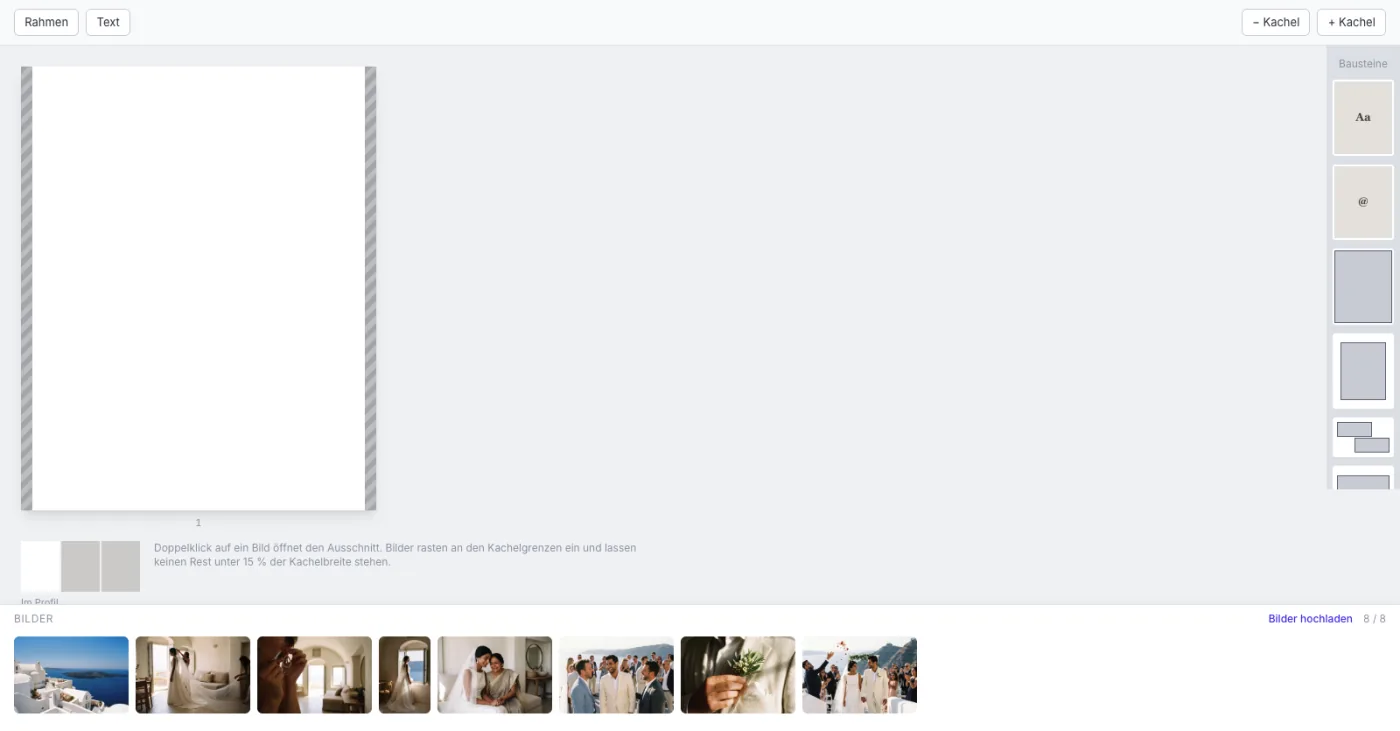
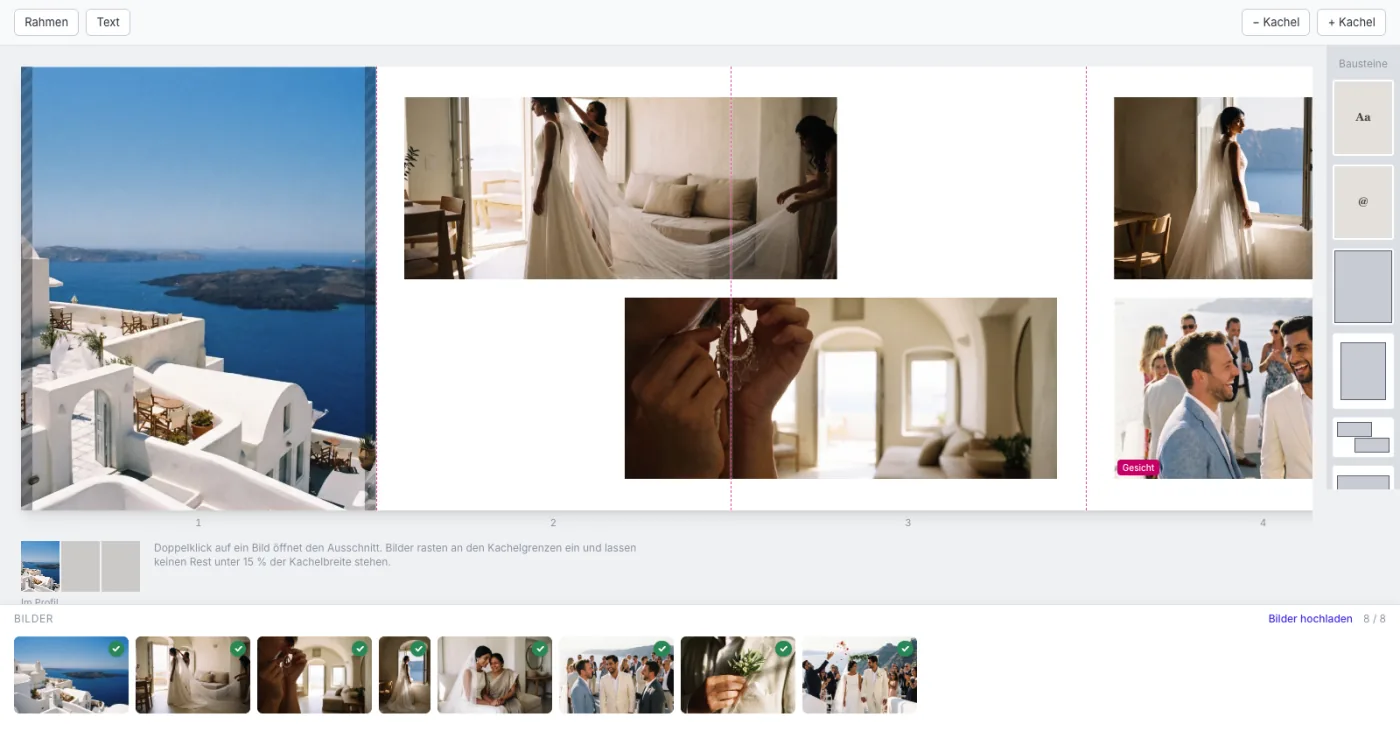
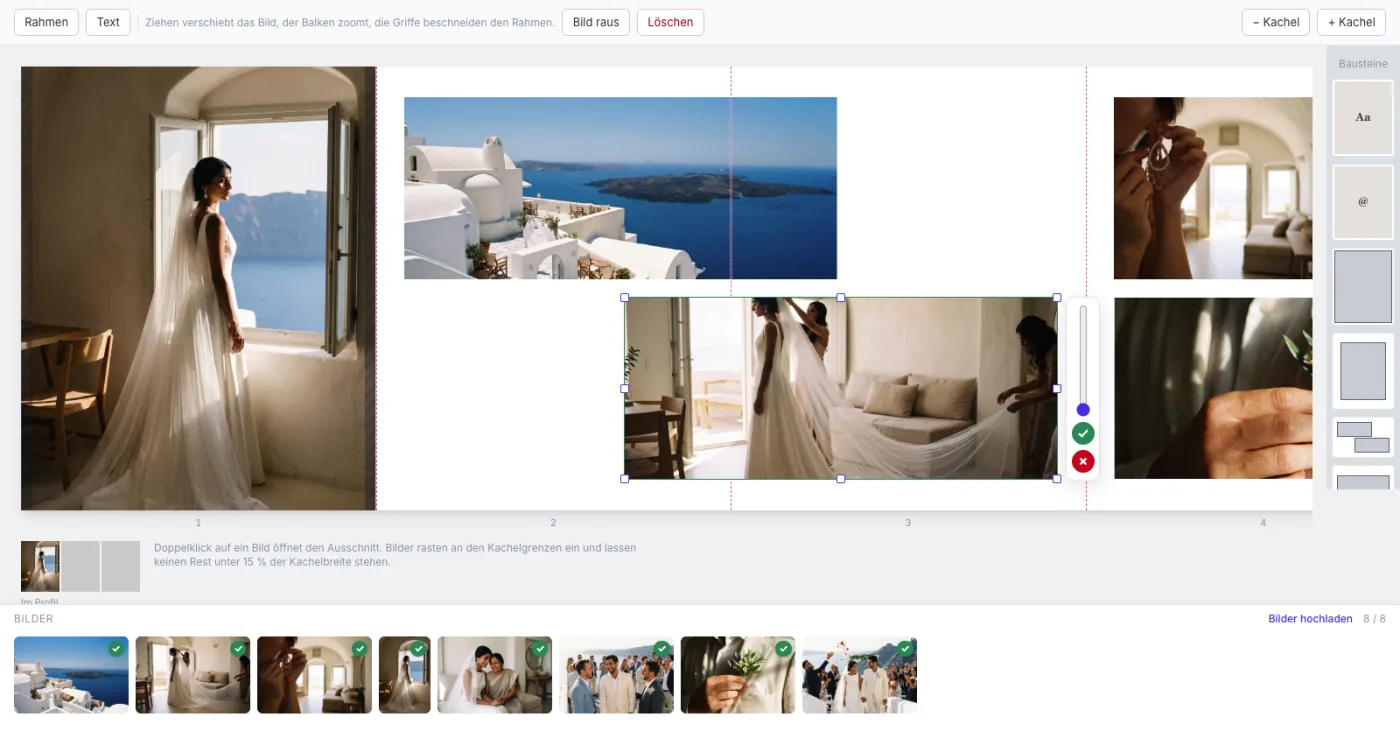

“Fill automatically” replaces the current arrangement. aftersnap asks you first.
Check before you export
See where Instagram splits your photo before you export.
A continuous carousel only works when the subject and the cut line fit together. The editor shows you the spots worth a closer look.


Transitions that line up
The whole strip is rendered from your originals and only then split into single slides. That way a photo continues exactly at the next edge.
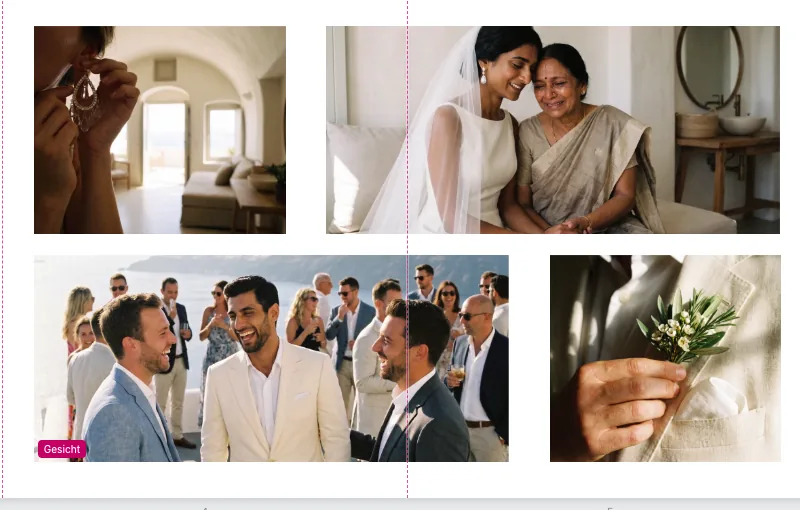
An eye on faces
If a slide border runs through a detected face, aftersnap marks the spot. You can correct the crop or keep it on purpose.
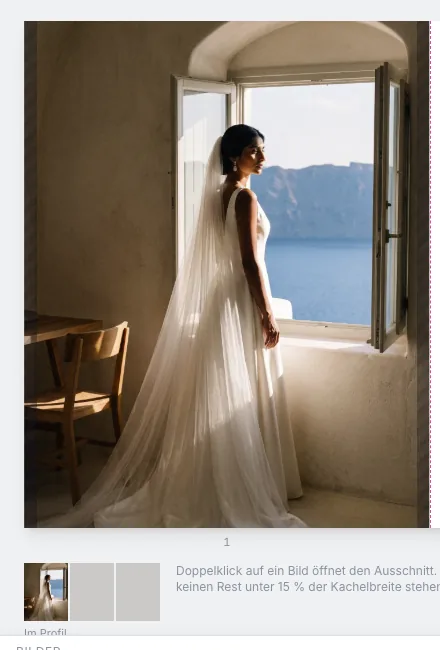
A cover photo for the profile grid
Instagram shows the first 4:5 slide narrower in the profile grid. The preview shows what won’t appear in the grid on the left and right.
More than photos
Room for titles, transitions and the team.
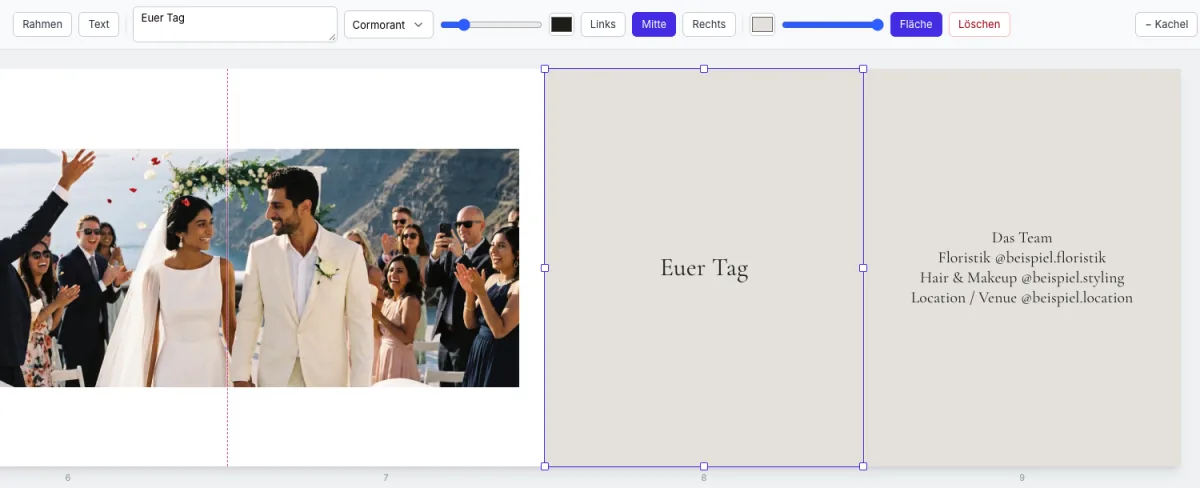
A text slide can open, structure or close a series. You set the background, font, size and alignment yourself.
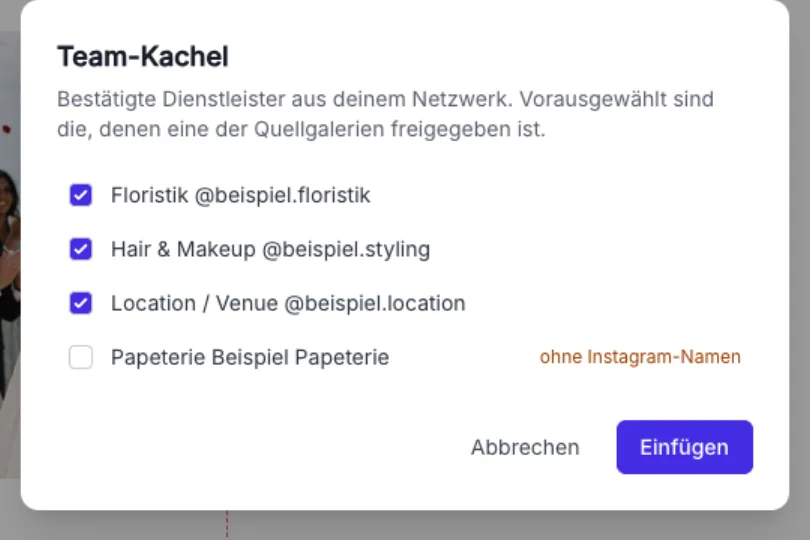
Credit everyone involved
For weddings and other shared productions, the team slide pulls in confirmed vendors from your aftersnap network. Their category and Instagram name are listed together at the end of the carousel. You can change the selection before inserting it.
If an Instagram name is missing, the slide uses the business name.
Ready for Instagram
From the strip to your phone.
The export creates up to 20 numbered JPEG slides of 1440 × 1800 pixels each. Their file names show you the right order for Instagram.
-
 01.jpg
-
02.jpg
-
03.jpg
-
 04.jpg
On your computer
Download 01.jpg, 02.jpg and the other slides together as a ZIP.
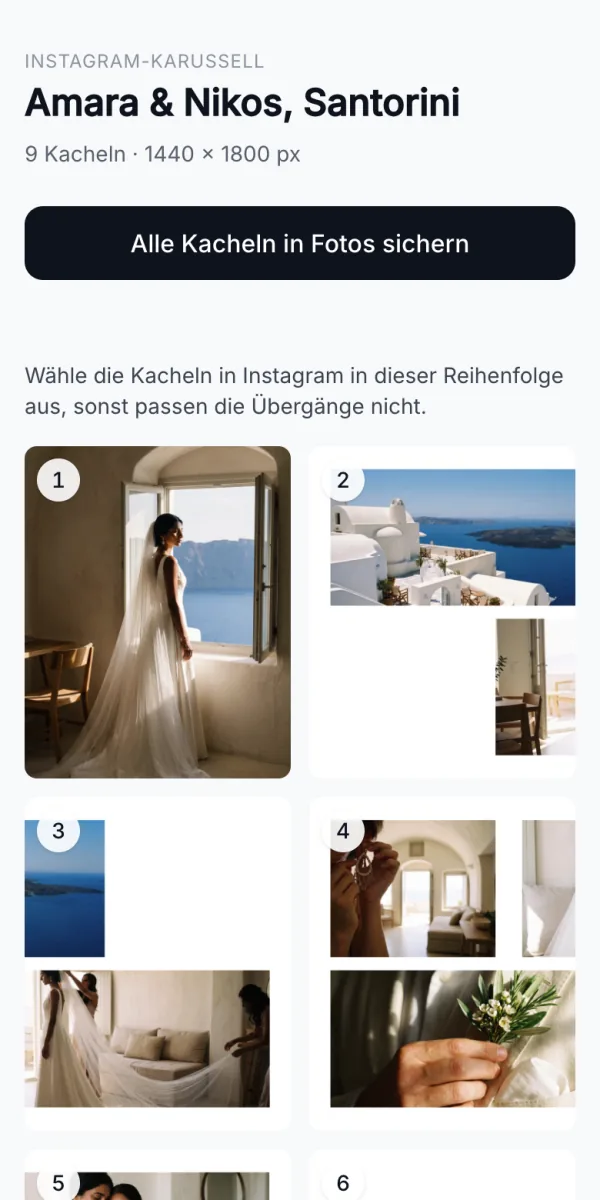
On your smartphone
Scan the QR code and open the latest finished export on your phone. There you save the slides to your Photos. The link is valid for seven days and you can turn it off sooner.
Open the example on this phoneInstagram stays in your hands
aftersnap does not connect to your Instagram account and does not publish any post. You pick the finished slides yourself in the Instagram app.
Use your own photos. The trial needs no credit card and does not turn into a subscription automatically.
Frequently asked questions
Can aftersnap publish the carousel to Instagram directly?
No. aftersnap creates and exports the slides. You publish the post yourself on Instagram. For that, you don’t need to connect your Instagram account to aftersnap.
Do the photos need to be in an aftersnap gallery already?
No. You can choose photos from one or more galleries or upload your own files directly into the collage.
Which format is exported?
Each slide is exported as a 4:5 JPEG at 1440 × 1800 pixels. A carousel can have up to 20 slides.
Can I change the automatic arrangement?
Yes. The automatic mode gives you a first draft. After that you can move frames, resize them, adjust crops and add more slides.
What happens if a slide border runs through a face?
The editor marks the affected spot. The warning does not block the export. You decide whether to change the crop.
How do the slides get to my phone?
After the export, you create a QR code. It opens the slides of the latest export on your smartphone. Depending on the browser, you can save them to Photos all at once or one by one. The link expires after seven days and can be ended sooner.
Which plans include collages?
Collages are included from the Pro plan up. During the free Studio trial you can try the feature with your own photos.
Where can I find the step-by-step guide?
The handbook has the steps for creating, designing and exporting a collage.
Open the collages guideBuild your next carousel from a real photo series.
Create a free account and try the collages feature with your own photos. You don’t need a credit card and you don’t sign up for a subscription.
See plans